
Quickstart
Get a ready-made page running live on Quilium, served from your machine, in about two minutes. No AI, no build step.
This is the fastest way to see Quilium work: take a ready-made demo and run it locally. It is the common starting point, before you choose how to build (with AI or by hand).
1. Install the CLI
npm i -g quilium
2. Log in
quilium login
Your browser opens, you approve, and that is it. The CLI runs an OAuth flow and refreshes your credentials on its own.
quilium whoami tells you which account you are signed in as, and whether it can reach the site. Run from a project folder it also gives the site verdict, which beats discovering a 403 in the middle of a push.3. Create a site from the Quickstart demo
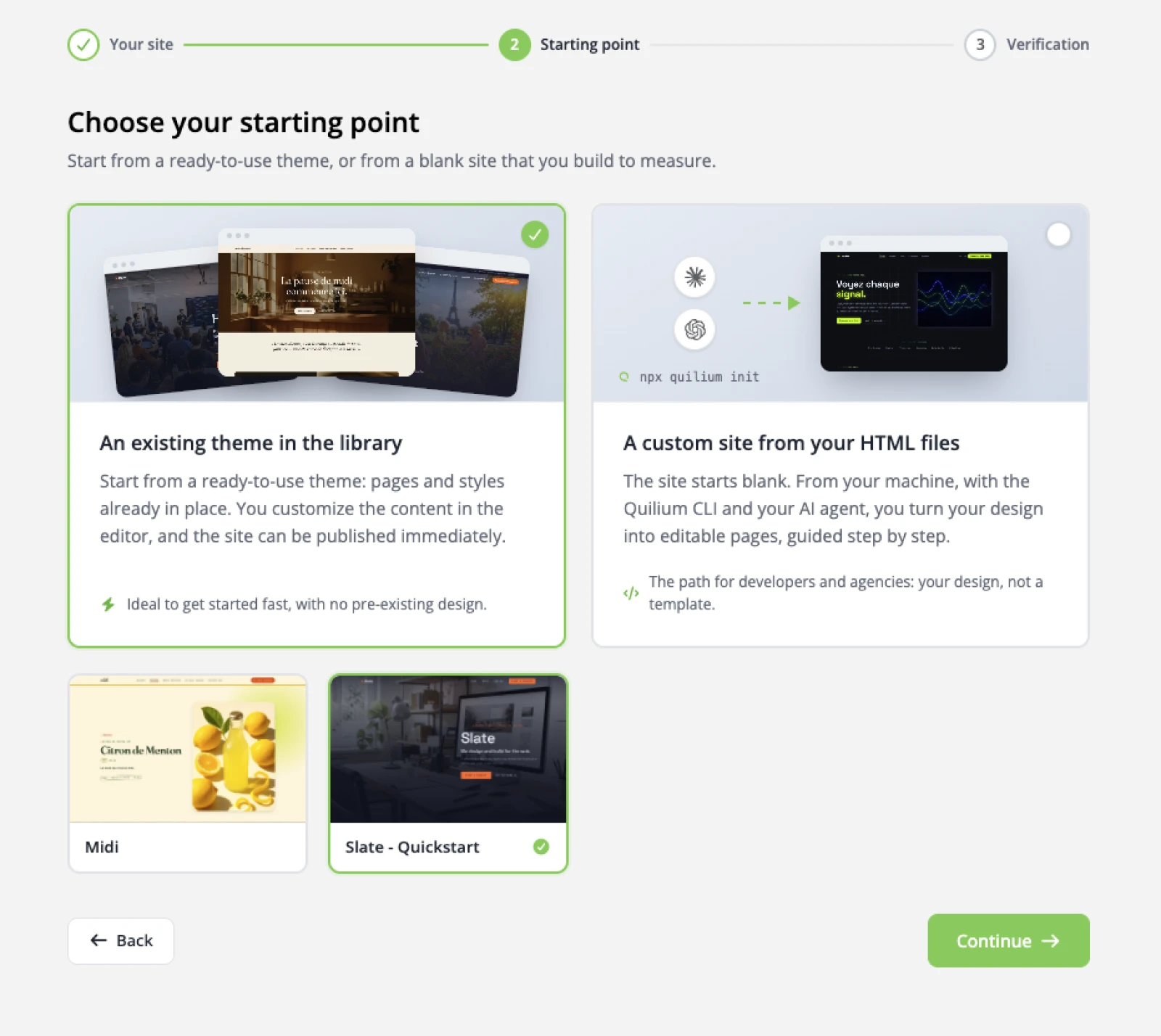
In the dashboard, create a new site. At the Starting point step, keep An existing theme in the library and choose Slate - Quickstart, a small pre-built page ready to run. The other option, a custom site built from your own HTML files, is the path the AI tutorial takes.
4. Check out the project
Pull the demo into a local folder. quilium init takes the site ID and a target directory (--dir is required).
quilium init <site-id> --dir slate-quickstart
It writes a quilium.json (your site ID and name), then downloads the theme: the Liquid templates, the elements/ blocks and the public/ assets. Move into the folder:
cd slate-quickstart
Later, quilium pull re-downloads the theme on its own, when you want to pick up changes made elsewhere.
default page-type stacks four content blocks, hero, about, work and contact, in its row1 drop-zone. Each is a content-type with its own template under elements/. There is no collection and no routing yet, and that is the point.5. Run it locally
Start the local server (it serves your local templates with your site's draft content):
quilium run
Starting Quilium. Use Ctrl+C to stop.

  Server running at http://localhost:9000
  Mode: draft
Open that URL. Your demo page is now served dynamically by Quilium, not as a static file. The server renders your local templates against the site's draft content, which is exactly what you want while you work. If port 9000 is taken, pass another one: quilium run 9016.
6. Make it yours
The page is your Liquid, running live. Open elements/hero.liquid, change something visible, the hero heading's markup, a Tailwind class, save, and reload the local page. Your edit is on screen. That is the whole "it's my HTML, and it's alive" moment.
There is nothing to restart and nothing to rebuild: the server reads your templates from disk on every request, so saving and reloading the page is the whole loop.
What is next
You have a site running locally. Pick where you go from here:
Whichever you pick, the next big idea is the content model, page-types, content-types, and turning a repeating list into a real collection. See The content model.
Last updated September 7, 2026.