
The content kit
Build the page that shows every block the site can render, so editors and agents both stop guessing.
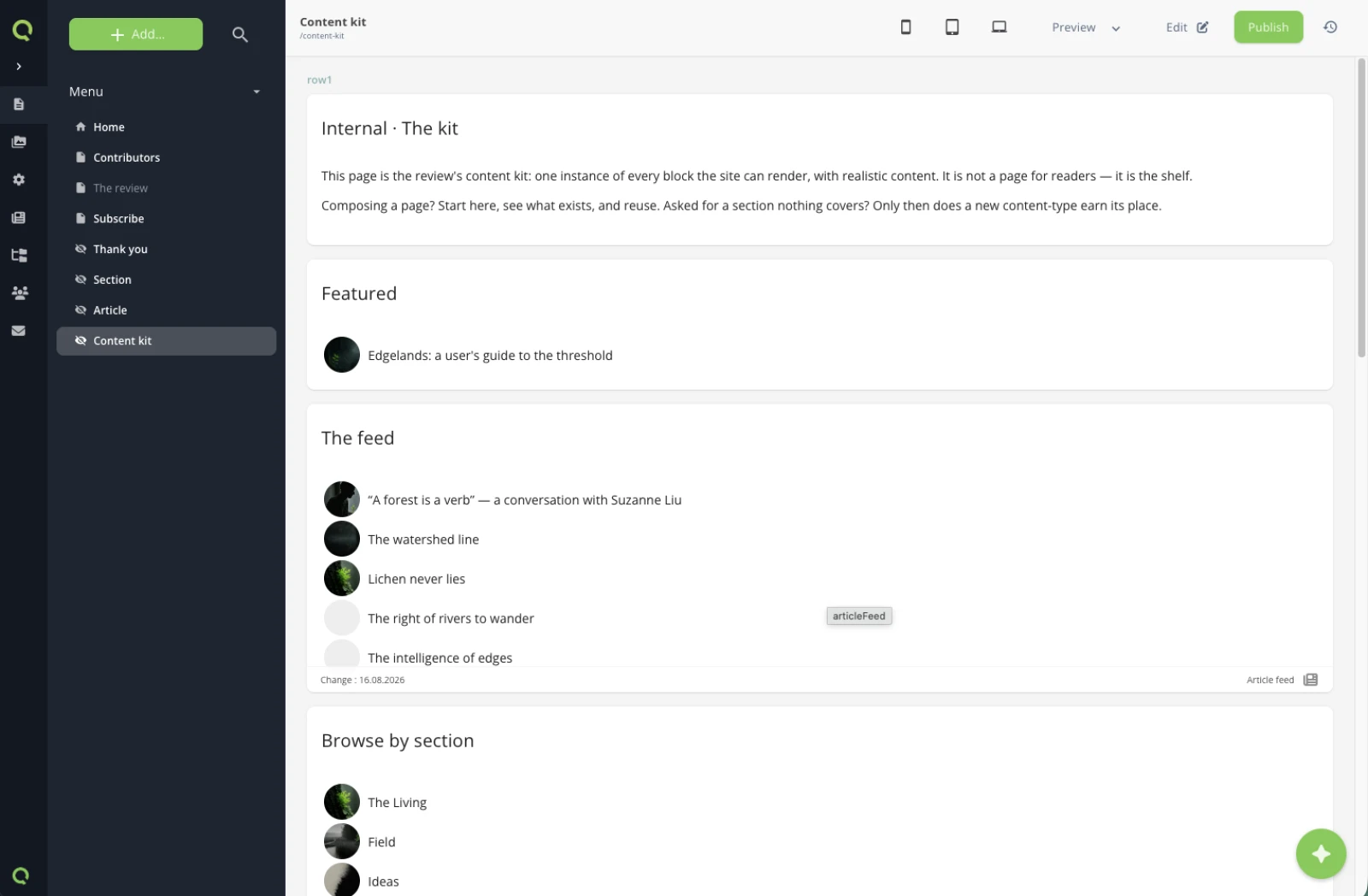
The site is complete. What is missing is a page that says what it is made of — one place where every reusable block appears, with realistic content.
What you will have at the end
/content-kit live: active, hidden from the navigation, carrying a noindex, and rendering one instance of each of the site's ten content-types. Almost nothing new is created to get there — no type, no template, no YAML. One page, ten placements, and one line in the layout that turns the Robots checkboxes into a real meta tag.
Before you start
A form that persists done: every page of the prototype exists, and every content-type has been used at least once somewhere.
1. What a content kit is for
Two audiences, one page. An editor composing a new page sees what is available instead of copying an old page and hoping. An agent asked to add a section reads the kit first and reuses a block instead of inventing a structure.
The design system in branding/ describes the visual rules. The content kit is the same idea one level down: the blocks as the CMS actually holds them — and because it is built from the real blocks, it breaks visibly the day one of them does.
2. Build it from what exists
The site is complete. Now the content kit: one internal page with
every block the site can render, one instance each, realistic
content. Active, out of the menu, invisible to search engines.
⏺ get-site-settings(content-types)
  ⎿ ten content-types — that list is the kit's table of contents

⏺ add-page-to-navigation(/content-kit, visible: false)
  ⎿ a normal page, kept out of the menu

⏺ update-page
  ⎿ noIndex ticked, the meta description written

⏺ Edit(layout.liquid)
  ⎿ the robots flags mapped to a meta tag — the tabset existed
    since the architecture pass, nothing rendered it yet

⏺ add-content-to-page × 10
  ⎿ pageHeader through confirmation — zero new types, zero new
    templates, zero YAML

⏺ update-content(the kit's subscribeForm)
  ⎿ validation.redirect → the thank-you page. A kit block is a
    live block, not a screenshot.

⏺ Bash(quilium push)
  ⎿ ✓
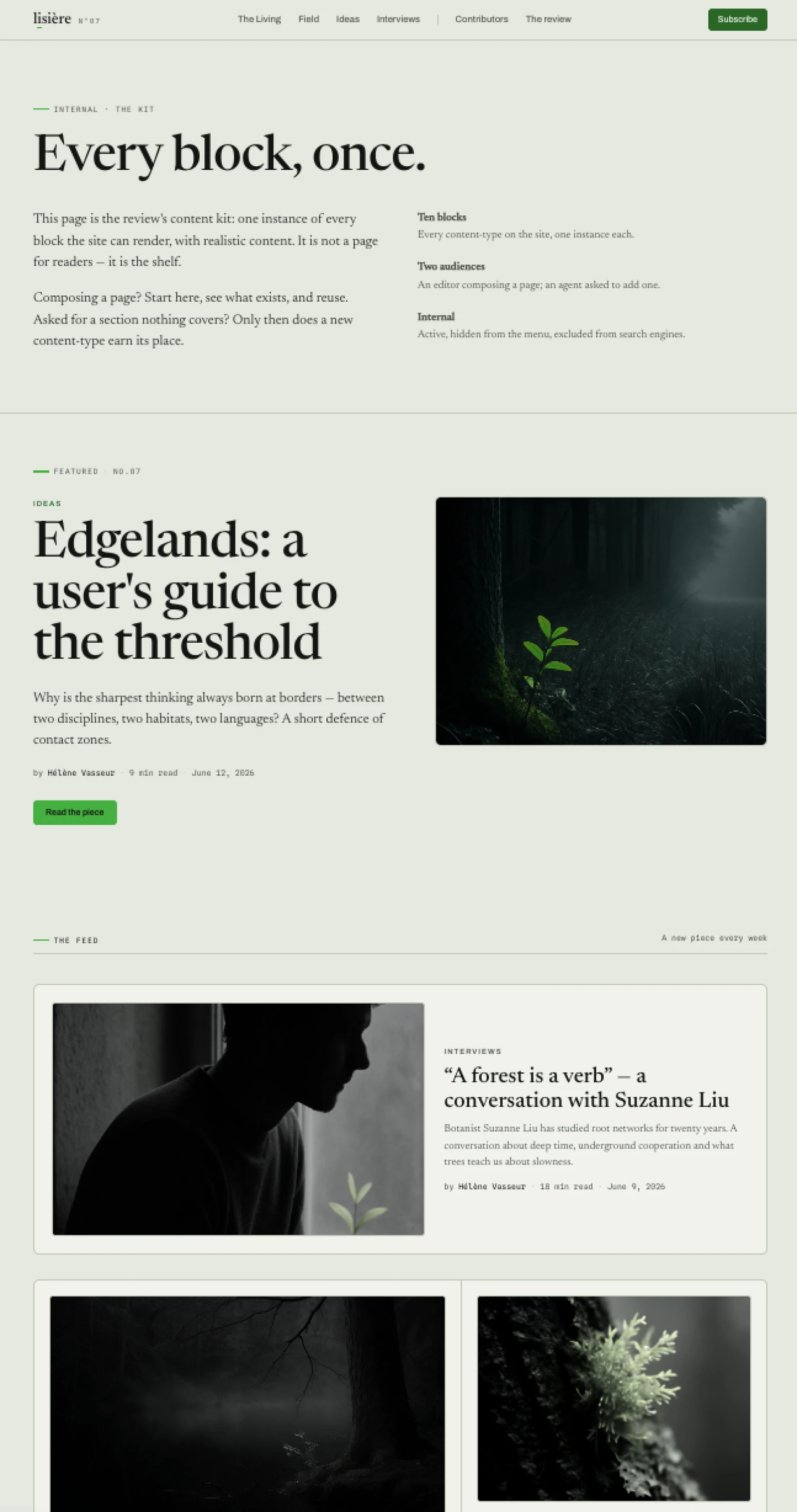
The order of the ten is a plausible page, not an alphabetical list — the kit should read like the site, and each instance shows its block at its most useful, which often means the variant the other pages don't use:
| Block | What its example shows |
|---|---|
pageHeader |
the two-column variant (aside filled) — and it introduces the kit itself |
featured |
the query that finds the piece flagged Featured |
articleFeed |
the feed, plus its anchor link — pointing at the section list below |
sectionList |
the doors variant, image cards |
imageText |
image on the right (the review page has it on the left) |
contributorGrid |
the grid in back-office drag order |
reviewBand |
the accent span carrying the one chartreuse flash |
newsletterBand |
the wysiwyg-in-heading title, italics inline |
subscribeForm |
live — it validates, saves to Subscribers, redirects |
confirmation |
the landing block, its two ways onward |
The form deserves the emphasis: it is wired exactly like the one on /newsletter, redirect included, because the redirect lives on the block instance. Submitting from the kit lands a real row. That is the point — the kit documents behaviour, not appearance.
3. Active, hidden, noindex
The three settings matter and they are independent:
| Setting | Value | Why |
|---|---|---|
| State | active | an inactive page returns 404, including for you |
| Visible | no | it is not a navigation entry |
| Robots | noindex | it is an internal reference, not a page for visitors |
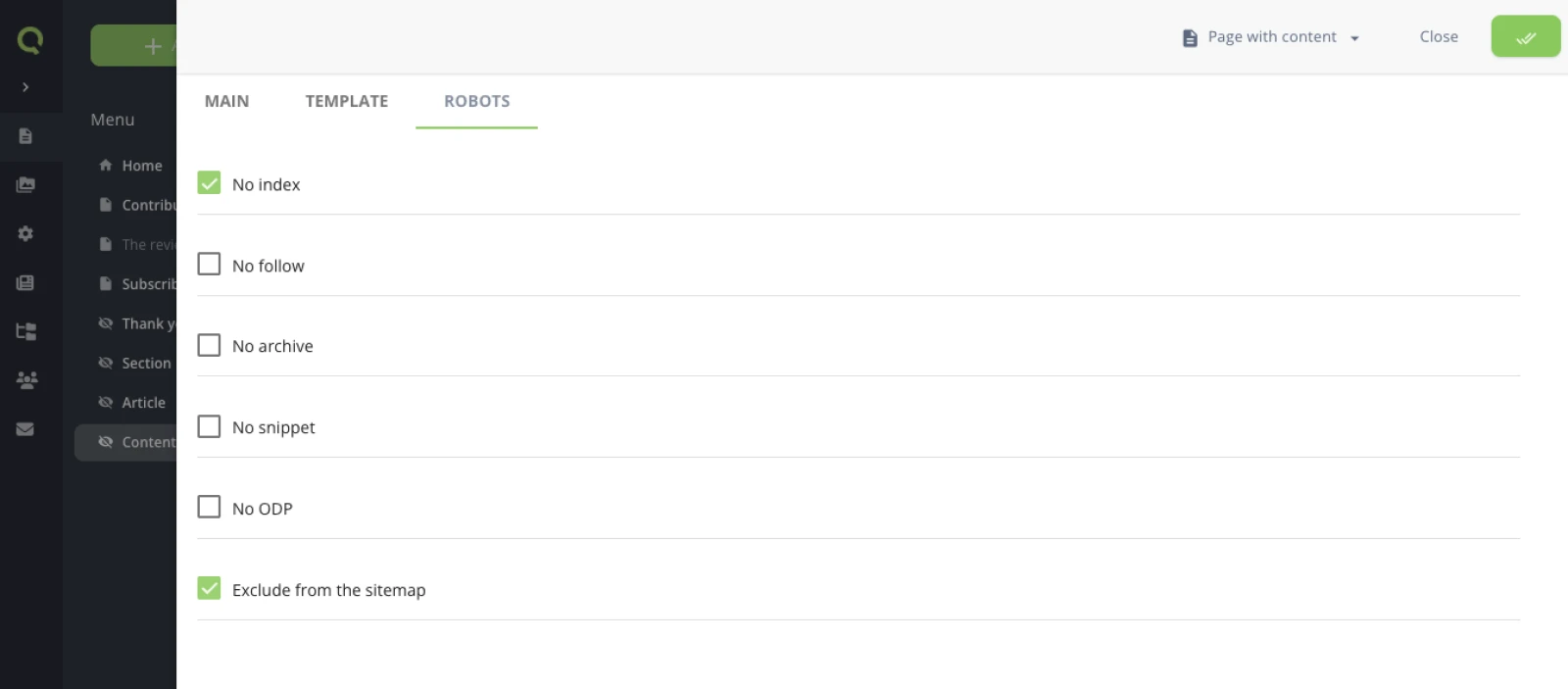
The first two are page properties. The third is worth a closer look, because it is two halves. The half you tick: every page-type on the site shares a Robots tabset, declared once as a YAML anchor and merged into each type —
_robots: &_robots
  noIndex:
    type: checkbox
    label: No index
  noFollow:
    type: checkbox
    label: No follow
  excludeSitemap:
    type: checkbox
    label: Exclude from the sitemap
  # …noArchive, noSnippet, noOdp
— and the half this step adds: the layout line that maps the flags to a meta tag. The tabset has been sitting on every page-type since the architecture pass, but a checkbox nobody renders is a decoration — and until the kit, no page on the site needed one ticked.
{% capture robotsFlags %}{% if page.custom.noIndex %} noindex{% endif %}{% if page.custom.noFollow %} nofollow{% endif %}{% if page.custom.noArchive %} noarchive{% endif %}{% if page.custom.noSnippet %} nosnippet{% endif %}{% if page.custom.noOdp %} noodp{% endif %}{% endcapture %}
{% assign robotsFlags = robotsFlags | strip %}
{% if robotsFlags != blank %}<meta name="robots" content="{{ robotsFlags | split: ' ' | join: ', ' }}">{% endif %}
Five of the six flags are meta directives, and the capture maps them all. The sixth, excludeSitemap, is deliberately absent from the template: it is not a meta tag — it addresses the sitemap the platform generates, so the platform consumes it, not your Liquid. Nothing renders until an editor ticks a flag, so the public pages are untouched — the kit is the first page on the site where the line produces output.
4. Check it renders every block
A kit's QA is a coverage check: the page must render every type, and the page itself must stay internal.
QA the kit: every block renders, the page is out of the menu and
carries its noindex — and the form on it is live, prove it.
⏺ /content-kit
  ⎿ 200 — ten sections, zero Liquid leaks, zero empty src

⏺ grep the other pages for /content-kit
  ⎿ 0 — neither the menu nor the footer mentions it

⏺ grep every page for <meta name="robots">
  ⎿ exactly one, on the kit: content="noindex"

⏺ curl -X POST /content-kit — a real address, consent ticked
  ⎿ 302, location: /thank-you — a row landed in Subscribers.
    Test row deleted after.

⏺ count the h1s
  ⎿ three — pageHeader, featured and confirmation each lead a page.
    Fine on an internal reference, and now it is written down
    which blocks claim the h1.
The h1 count is the kind of fact only the kit surfaces. On the real pages each of those blocks leads alone; side by side they reveal a rule no other page states — these three open a page, don't stack them on a public one.
What you learned
- A content kit is a page like any other; what makes it a kit is its coverage — one instance of every content-type, at its most useful.
- It costs almost nothing new: zero types, zero templates, zero YAML — one layout line. If assembling it had required more, that would be a finding about the site, not about the kit.
- Active, hidden and noindex are three independent switches — and
noindexis only real once the layout renders the flag. Structure declares; the template delivers. - A kit block is a live block: the form on the kit validates, saves and redirects like the one on
/newsletter, because behaviour travels with the block, not with the page.
More on this pattern: Let AI generate your content and Handle SEO and metas.
Next: The site's AI instructions — where you tell every future agent about the kit.
Last updated September 7, 2026.