
A form that persists
Build the subscription page — server-side validation, a collection that receives the submissions, and a redirect to a confirmation page.
The last two pages of the prototype are a pair: a form, and the page you land on once it has been submitted. Together they cover the one part of a site that writes rather than reads.
proto/newsletter.html and proto/thank-you.html.What you will have at the end
/newsletter live and actually working: a POST that fails politely — messages under the fields, nothing the visitor typed lost — and a POST that succeeds, lands a row in the Subscribers collection, and redirects to /thank-you.
sendmail sits beside save in the same tabset); neither is needed to understand how a form persists.Before you start
A collection without a route done. The architecture pass is ahead of you one last time: the Subscribers collection exists, and the subscribeForm content-type is declared — content fields plus two special ones, the validation and the save. What is missing is the markup, the two pages, and the redirect that ties them together.
1. The receiving collection comes first
A form writes into a collection like any other entry — so the collection exists before the block that writes into it. It is a collection like any other, one field per input worth keeping:
subscriber:
  name: Subscribers
  objectName: Subscriber
  icon: envelope
  tabsets:
    main:
      name: Subscriber
      fields:
        email:
          type: text
          label: Email
          required: true
          searchable: true
        firstName:
          type: text
          label: First name
          searchable: true
        consent:
          type: text
          label: Consent
          info: 'The value posted by the GDPR checkbox.'
  displays:
    - type: datatable
      config:
        cols:
          - email
          - firstName
          - created_at
        order:
          column: created_at
          sort: desc
No "submitted at" field — every entry already carries a system created_at, which is why it can sit in displays.cols. Submissions are ordinary rows: editors read them in the back-office like articles or contributors.

2. Two special fields make it a form
On the content-type, validate holds the rules and save holds the destination. Both are field types, declared beside the content fields:
validation:
  type: validate
  config:
    rules:
      email:
        - email
        - required
      consent:
        - required
saveSubscriber:
  type: save
  label: Save to Subscribers
  config:
    key: subscriber
Rule keys are the input names in your markup, not the collection's field names — keeping the two identical, as here, is what makes the save land each input in its column without a mapping. And the rules run on the server: whatever the browser claims, this is the gate.
value — or nothing at all. The consent input carries value="agreed": that string is what lands in the collection's consent column, and its absence is what the required rule rejects. A checkbox with no explicit value stores a browser default you never chose.3. Build it
The last two pages: proto/newsletter.html and proto/thank-you.html.
No email and no captcha in this pass — validate, save to Subscribers,
redirect to the thank-you page.
Both paths proven with real POSTs before we call it done.
⏺ get-skills() → get-skill × 2, then the contact-form procedure
  ⎿ the form markup contract, the redirect, the error rendering

⏺ Write elements/subscribeForm.liquid + _formError.liquid
  ⎿ the POST, the prefill, the per-field errors, the button that
    names its block

⏺ update-settings-partial(content-types, confirmation) +
  Write elements/confirmation.liquid
  ⎿ the landing block: stamp, title, message, two ways onward

⏺ add-content-to-page × 3
  ⎿ pageHeader (understorey night, the three arguments in the aside)
    and the form on /newsletter; the confirmation on /thank-you

⏺ update-content(subscribeForm instance)
  ⎿ validation.redirect → the thank-you page

⏺ Bash(quilium push)
  ⎿ ✓
4. The markup contract
Four things make the template a Quilium form rather than inert HTML — the POST to the same URL, the prefill, the errors, and the button that names its block:
{% assign c = content.custom %}
{% assign f = content.form %}
{% assign b = request.body %}

<form method="POST" action="" novalidate>
  <input type="email" id="email" name="email" required
         value="{{ b.email }}"
         {% if f.email.errors %}aria-invalid="true" aria-describedby="err-email"{% endif %} />
  {% if f.email.errors %}
    <p id="err-email" role="alert">{% include '_formError', errors: f.email.errors %}</p>
  {% endif %}

  <input type="checkbox" id="consent" name="consent" required value="agreed"
         {% if b.consent %}checked{% endif %} />

  <button type="submit" name="form" value="{{ content.id }}">{{ c.submitLabel }}</button>
</form>
action=""— the form posts back to its own page. There is no endpoint to invent.name="form" value="{{ content.id }}"on the button tells Quilium which block the POST belongs to. It is what lets a page hold two forms without them interfering.request.bodyprefills every field. Without it, one validation error empties the form and the visitor retypes everything.content.form.<input>.errorsis where the failed rules surface, keyed by rule name. The_formErrorpartial maps them to sentences (required→ "This field is required.") with the engine's own message as the fallback.
5. The redirect lives on the block instance
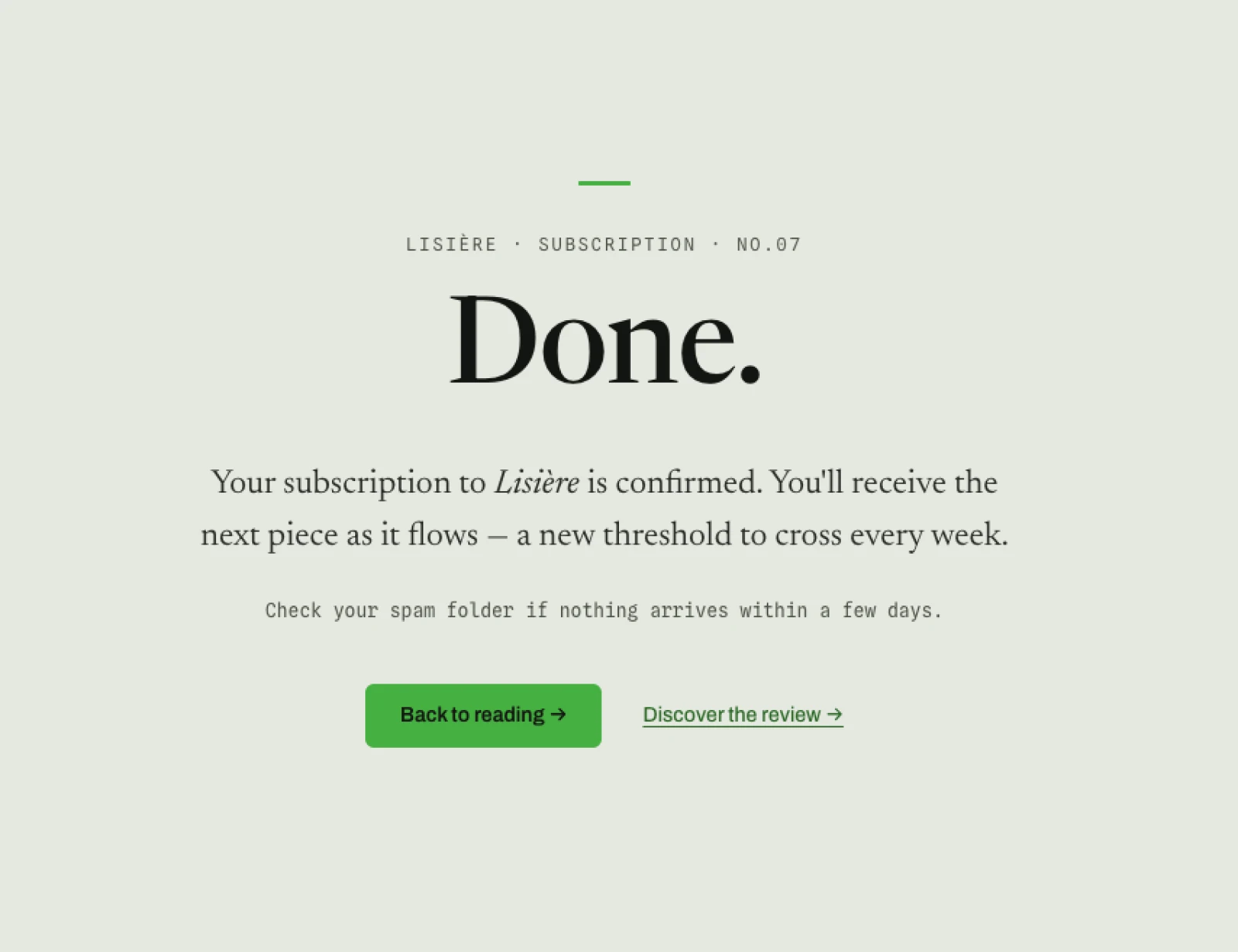
The thank-you page is a normal page kept out of the menu (visible: false — never inactive, or it 404s). The redirect pointing at it is set on the block as placed on the page, not on the content-type:
{ "custom": { "validation": { "redirect": ["<thank-you-page-id>"] } } }
A valid submission is answered with a 302 to that page. This is POST-redirect-GET: a refresh on the landing page re-runs a harmless GET instead of resubmitting, and the visitor gets a URL that means "we got it". The same form block dropped on another page could redirect somewhere else — the destination is content, not structure.
6. Prove both paths
A form is the one surface where "the page renders" proves nothing. The QA is three POSTs:
Test the form for real: a bad submission, an empty one, a valid one.
I want to see the error messages, the prefill, the redirect, and the
row in the collection.
⏺ curl -X POST /newsletter — email=not-an-email, no consent
  ⎿ 200, the page again: "This email address does not look valid."
    + the consent message — and the typed values still in the fields

⏺ curl -X POST /newsletter — empty
  ⎿ 200 — "This field is required."

⏺ curl -X POST /newsletter — a real address, consent ticked
  ⎿ 302, location: /thank-you

⏺ get-itemset-items(subscriber)
  ⎿ one row: the email, the first name, consent "agreed",
    created_at stamped by the system
The invalid POST answering 200 with the page is correct behaviour, not a bug — the error state is the page. What distinguishes success is the 302, and the row.
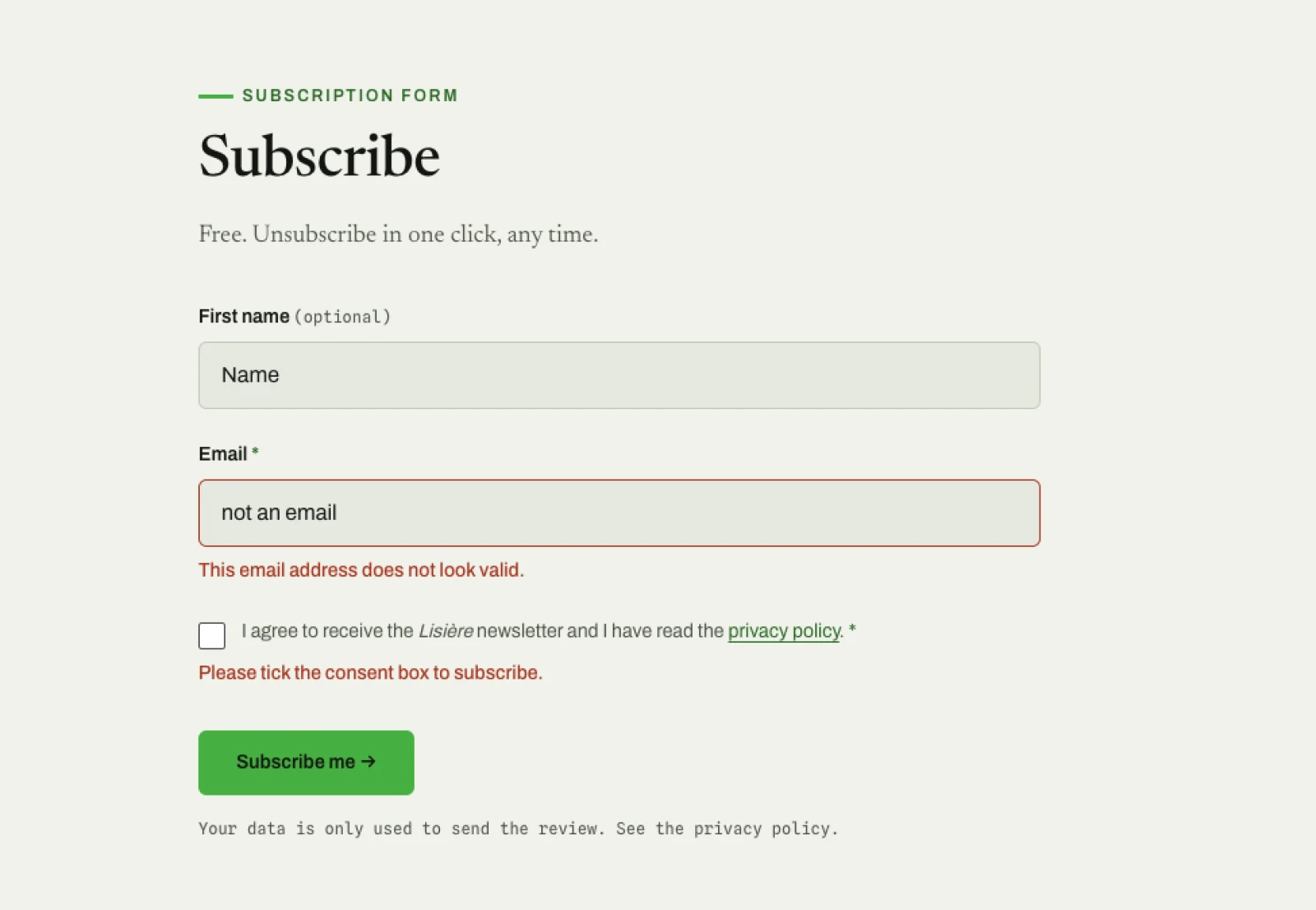
Then once in a browser, end to end: submit the form, land on /thank-you, and find the entry in the back-office collection — the same datatable as every other collection, newest first.
What you learned
- A form is a content block with two special fields:
validateis the gate,saveis the destination — and the receiving collection exists first. - Rule keys match input names, and input names match collection fields. One naming decision, zero mapping.
- The submit button carries
name="form"and the block's id — the POST belongs to a block, not to a page. - The redirect is set on the block instance and answers valid POSTs with a 302: POST-redirect-GET, refresh-proof.
- The error path is half the form: per-field messages and a
request.bodyprefill, or every mistake costs the visitor everything they typed.
The complete procedure — including the file upload, the captcha and the email notification this pass left out — is Build a complete contact form.
Next: The content kit.
Last updated September 7, 2026.