
A collection with its own pages
Give every article an address and a page, and build the section feeds that filter the same collection four different ways.
The heart of the site. One collection, two page-types reading it, and the filter coming from the URL rather than from the template — the chain that turns a set of rows into a publication.
/article/<slug>. The references are proto/article.html and proto/section.html.What you will have at the end
Every /article/<slug> and /section/<slug> resolving to a real page: breadcrumb, cover, reading column, author box, and a related row that reads the same section first — with the two links that have 500'd since the home page tutorial finally alive.
Before you start
A static page done. And more is already in place than you might remember: the architecture pass declared the two detail page-types, created the two hidden pages that host them, and wired the two routes. The collection has been full since the home page tutorial. What is missing is the queries' final shape, and two templates.
1. The chain, and where you stand in it
A detail page is five pieces agreeing with each other: a collection whose items carry a slug; a page-type whose query field resolves one item from the URL; a hidden-but-active page using that page-type; a named route pointing at that page, its path carrying the slug token; and the listing templates that build links through the route.
Four of those pieces exist. Today is the queries' final shape and the two templates — in that order, for the same reason content preceded templates on the home page: a template written against a proven query reads real data, not a guess.
{{route.article.slug}} is the YAML-side spelling. In a template it is empty — the template reads the query's result, which is a list even at limit: 1: page.custom.article[0], and the [0] is mandatory.2. The queries first
The detail pages now: proto/article.html and proto/section.html.
Queries before templates — I want each one proven against a real URL
before anything renders it.
The related row reads: same section first, then fill from the others,
never the piece itself.
⏺ get-skills() → get-skill × 3, then the detail-pages reference
  ⎿ the chain, the url filter's traps, the query conventions

⏺ update-settings-partial(page-types, sectionDetail)
  ⎿ section — the resolver, named after what it resolves (`current`
      would shadow the native variable and be unreadable from the
      other queries)
    pieces — the section's feed: dependsOn the resolver, filtered on
      the relation with '&in'

⏺ update-settings-partial(page-types, articleDetail)
  ⎿ article — the resolver, with author and section hydrated
    related — same section, never itself, newest first, limit 3
    recent — everything but this piece, the cross-section fill

⏺ Proof before templates — counts against real URLs:
  ⎿ /section/ideas    pieces  → 3     (the collection holds 7)
    /section/field    pieces  → 2
    featured piece    related → 2 same-section + fill available
    invented slug     resolver → empty
The resolver, as written — twelve lines, three conventions:
article:
  type: query
  label: The piece
  info: 'Resolved from the URL. Nothing to pick here.'
  config:
    itemSet: article
    limit: 1
    with:
      - author
      - section
    where:
      and:
        - '&=':
            slug: '{{route.article.slug}}'
        - '&=':
            state: Actif
- The field is not named
current. That name belongs to a native variable, and a query field that shadows it can never be referenced by another query — every{{current.*}}reads as empty, silently. Name the resolver after what it resolves:article,section. - One clause per
and:item. The multi-key shorthand happens to work on scalar columns and quietly stops working the day a relation column joins the map. with:hydrates the relations. The author box and the breadcrumb readarticle.author[0]andarticle.section[0]as full objects — no second query, no id-to-name resolution by hand.
And the related row, where the collection's relations do the editorial work:
related:
  type: query
  label: Read more in the same section
  config:
    itemSet: article
    limit: 3
    with:
      - section
      - author
    dependsOn:
      - article
    sort:
      - publishedAt: desc
    where:
      and:
        - '&in':
            section: ['{{article.section.0.id}}']
        - '&!=':
            slug: '{{route.article.slug}}'
        - '&=':
            state: Actif
Everything an editor might want to tune — the cap, the sort, the filters — lives here, in the back-office, not in a template.
in, never =. An items field stores a list of ids, so the clause is '&in' with an array value — section: ['<id>']. And through dependsOn, the resolved piece's own section is reached along the hydrated path: {{article.section.0.id}} — list index first, then the key.The prototype's related row shows one more subtlety: its third card comes from another section, thumbnail on, because a small section runs out of siblings. That is the recent query — everything but the current piece, all sections — and the template fills the row from it, skipping the current section, whenever related returns fewer than three.
3. Then the two templates
Now the two templates. Nothing else — the newsletter band drops onto
the two hidden pages as a block, same as everywhere.
⏺ Write sectionDetail.liquid
  ⎿ the understorey-night header, the wide teaser for the newest piece,
    the two-column grid for the rest, the not-found branch

⏺ Write articleDetail.liquid
  ⎿ breadcrumb, header on cold paper, the hero cover with its caption,
    the 66ch prose column, the author box off the hydrated relations,
    the related row with its cross-section fill

⏺ add-content-to-page × 2
  ⎿ newsletterBand on the hidden Section and Article pages — the same
    block, third and fourth page

⏺ Bash(quilium push)
  ⎿ ✓ — the preview buttons and the hosted render now match the disk
Both templates open the same way — resolve, then branch:
{% assign a = page.custom.article[0] %}

{% if a %}
  … the page …
{% else %}
  … the not-found branch …
{% endif %}
The not-found branch renders a message and a way home. Honesty requires a caveat the template cannot fix: Liquid cannot set the status code, so an unknown slug answers 200 with a not-found message, not a 404. Say that to whoever audits the site, rather than reporting a working 404.
4. Link the cards — and check where they land
Every link in the chain goes through the named route, with the whole item as a named argument:
<a href="{{ 'article' | url: article: p }}">{{ p.title }}</a>
That renders /article/the-watershed-line — the route extracts .slug itself. Passing the slug, passing the item positionally, or typo'ing the route name all return 200: the record dumped into the query string, or a link that points at the page you are already on.
[object Object] and %5Bobject.5. The way back for editors
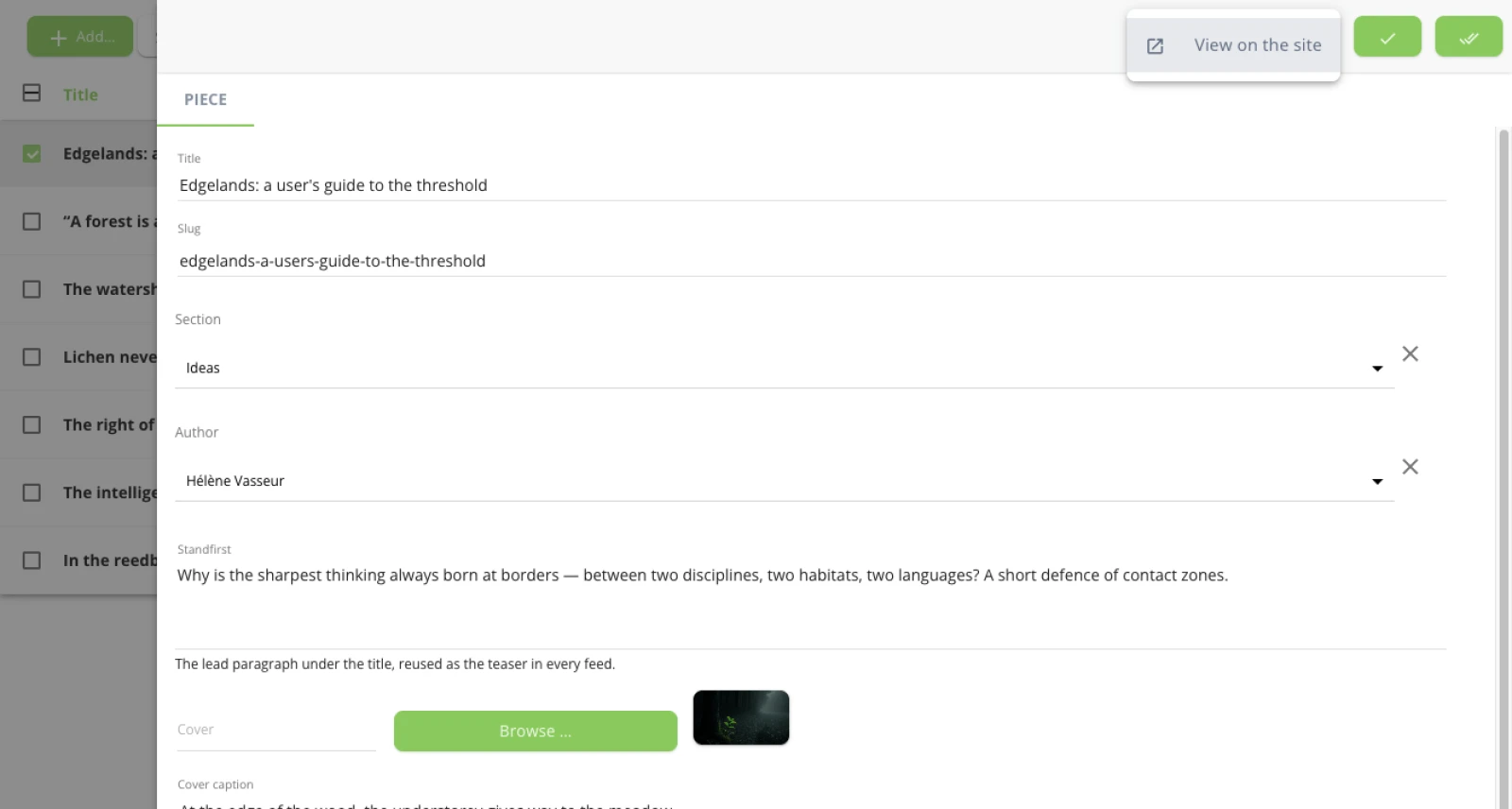
The architecture pass already gave both collections their preview entry — a View on the site button on every row, built from the same named route:
preview:
  - label: View on the site
    route: article
    params:
      article.slug: '{{slug}}'
It resolves against the hosted site, with the templates stored there — which is why quilium push is part of this step and not an afterthought. Until the push, the button opens a page that 500s; after it, editors reach the live article from the back-office in one click.
6. Look at it
QA the whole surface: every article, every section, an invented slug,
and the related rows. Counts, not impressions.
⏺ 7 article URLs, 4 section URLs
  ⎿ 200 everywhere, zero Liquid leaks, exactly one h1 per page

⏺ section counts: 1 + 2 + 3 + 1 = 7 — the whole collection, no overlap

⏺ /article/does-not-exist → the not-found branch (at 200, by design)

⏺ every related row starts with its own section and never contains
  itself — [Ideas, Ideas, Interviews] on the featured piece, the third
  card from another section, thumbnail on
And the check that needs no tooling, one last time: the two pages that have been 500 since the home tutorial, open next to their prototypes on your two ports.
What you learned
- A page-type resolves the current entry from the URL; the template reads a list and takes
[0]— it never parses an address. - Filters, sorts and caps live in the query, where an editor can change them; the template renders what the query proved.
- Three query conventions that fail silently when broken: no field named
current,inwith an array value for relation columns, one clause perand:item. - In a chain where nothing errors, QA is a set of counts that must come out right — not a set of pages that load.
The same ground, written as a reference procedure: Build a blog.
Next: A collection without a route — the mirror case.
Last updated September 7, 2026.