
Manage media and images
Upload once, let Quilium produce the sizes, render them with the right dimensions and a real alt text.
Images are the one thing every page on every site uses, and the one place where a small habit, uploading the original and declaring the versions, saves you from re-cropping a library by hand later.
1. Declare the versions on the field, not in the upload
A version is a named size Quilium generates for you. Declare the ones the design actually uses:
        image:
          type: image
          label: Image de couverture
          config:
            versions:
              card:
                label: Carte
                width: 800
                height: 600
              cover:
                label: Couverture
                width: 1600
                height: 900
2. Know the stored shape
A media reference is always an array of objects, never a bare UUID and never a URL:
{ "image": [{ "id": "…" }] }
That single rule accounts for a large share of 422s on writes.
3. Render it
Guard the array, read the version you declared, and always set width and height so the browser reserves the space:
{% if art.image and art.image.size > 0 %}
  <img src="{{ art.image[0].versions.card.url }}"
       alt="{% if art.image[0].alt != blank %}{{ art.image[0].alt }}{% else %}{{ art.title }}{% endif %}"
       width="800" height="600" loading="lazy">
{% endif %}
Falling back to the entry's title is better than an empty attribute, and better than repeating the file name.
The alt lives on the media item, not on the field that points at it: it is a dedicated alt, alongside name, legend, description and credits. Reach it through the reference, image[0].alt — never image[0].name, which is the librarian's label ("Couverture — Écorce") and reads as noise in a screen reader.
Writing it right through the library means every page that uses the image inherits it. One call per asset, flat at the root, no data: wrapper:
update-media(media_id: "<uuid>", alt: "Gros plan d'écorce d'arbre, texture rugueuse en lumière froide")
It is translatable like any content: pass the default-language alt at the root and mirror it per locale in translations, in the same call.
Two things follow. A decorative image takes alt="" — an empty string, deliberately, not a missing attribute and not a description of the decoration; the media record carries an altDisabled flag for exactly that intent. And the same image used twice on a page needs two different alts, or the second one empty, since repeating it makes a screen reader read the same sentence twice.
4. Organise the library
Media live in folders, and the folder tree is its own set of operations: create, rename, move, and move media between folders. A site whose media all sit at the root becomes unusable for an editor around the two hundredth file.
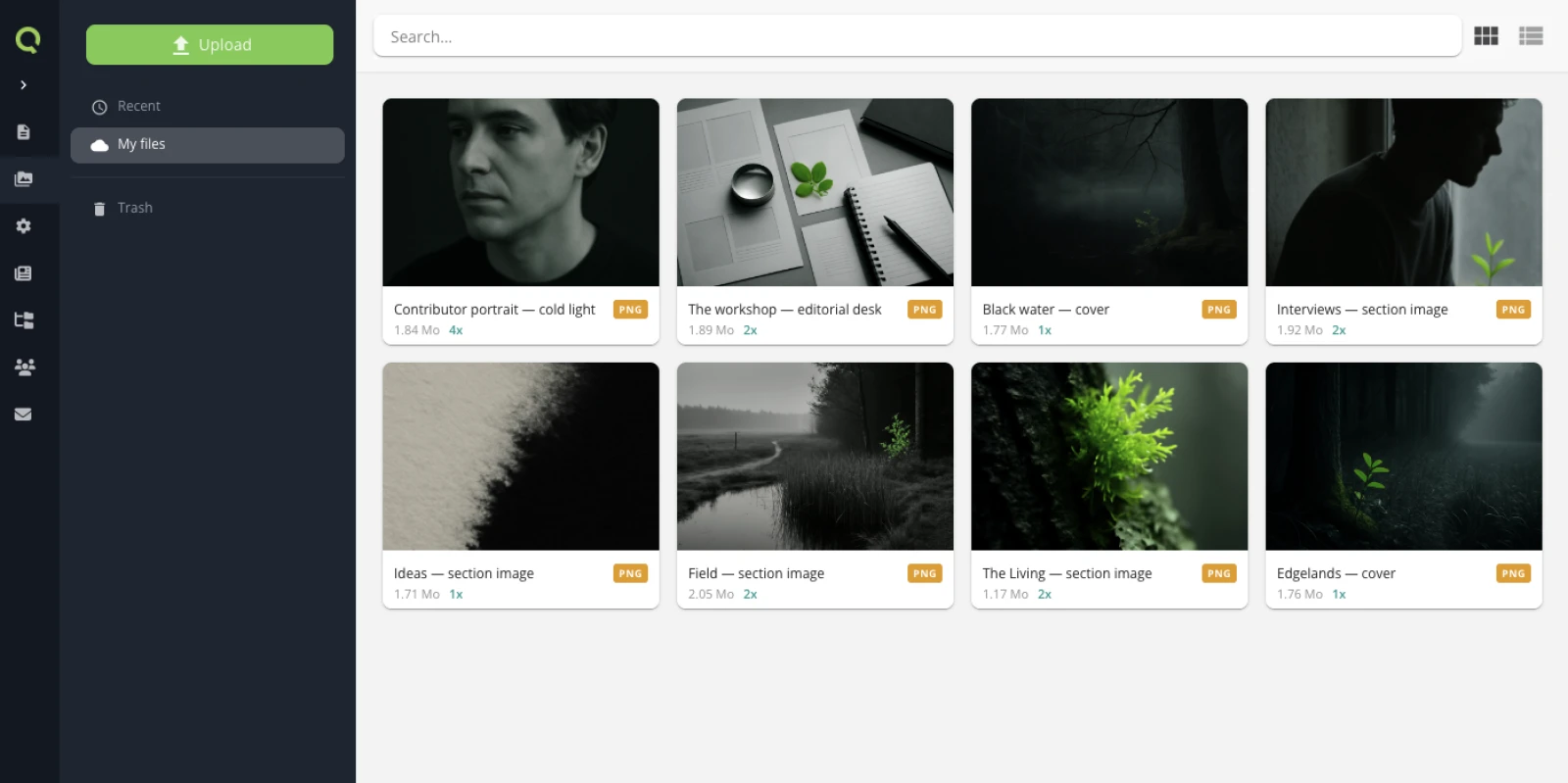
The library above is a small site — eight images, no folders yet, everything at the root. That is the shape every site starts in, and the one to leave before it costs anything.
Two things on each card are worth knowing about. The weight is the original you uploaded, not what a visitor downloads: the versions from section 1 are generated from it and served instead. And the usage counter — 4x, 2x, 1x — is how many places reference that media. It is the answer to "can I delete this?", and it is available to an agent as well, on the media record's usage field.
5. Let an agent do the tedious part
Describing a batch of photos and filling their alt texts is the archetypal task to hand over:
List the media in the "itineraires" folder whose alt is empty,
write one for each in French, factual, under 120 characters, then apply them.
Show me the list before writing.
The agent looks at each image to write its alt, so ask to see the list first: a generated alt is plausible far more often than it is right.
Pitfalls
- A version you did not declare does not exist. Reading
versions.thumb.urlwhen the field declares onlycardrenders an emptysrc. - Replacing a media keeps its references. Use it deliberately: swapping a file updates every page that points at it.
- Deleting a media does not clean the references. Check what points at it first.
Related
Last updated September 7, 2026.