Your project.
Your structure.
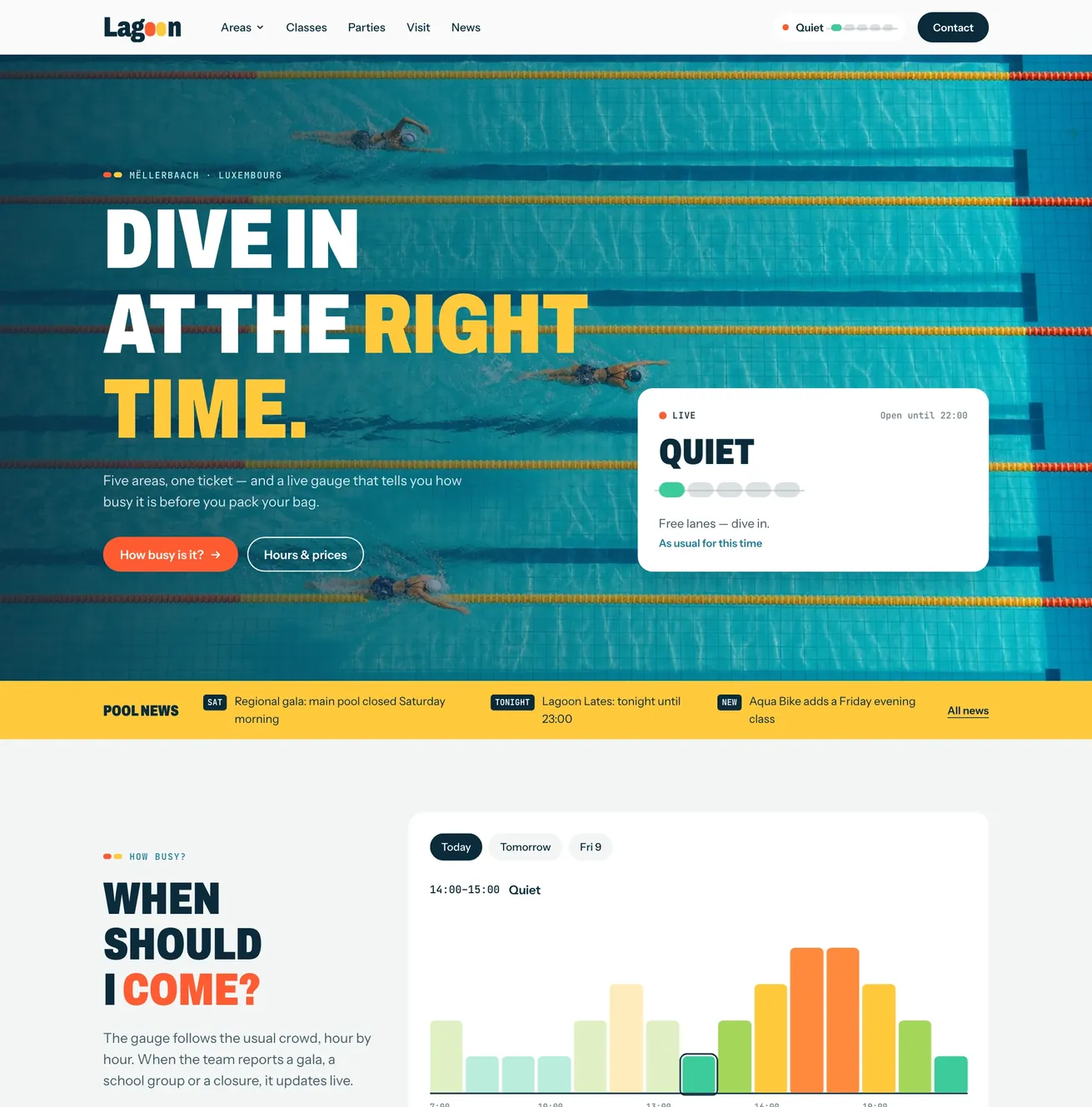
Your agent turns the prototype into the content model and templates your site needs.
From “looks good”
to works beautifully.
Turn your HTML prototype into a site your clients can manage on their own: clear fields, pages and collections, an assistant for translations and SEO, hosting included.



















Websites that run on Quilium
Let your agent build on content models, native multilingual support and managed hosting. You shape the site; Quilium supplies the CMS and runs the platform.
Your agent turns the prototype into the content model and templates your site needs.
Serve your website with Quilium, or connect your own frontend through the API.
Choose who can write, review and publish. Keep pages and collection entries in draft until they’re ready.
Ask your agent to translate the content and connect the URLs. Multilingual is native.
Have your agent adapt proven types and templates for the next project.
Use the assistant built into your site, or connect your own agent. Both work with your content, your structure and your account’s permissions.
Use MCP or the CLI with your agent. Connect your scripts through the API.
Your agents
 Quilium
Build with your agent
Give your agent the HTML. It proposes the content model, then builds the templates and connects the pages to collections. You review the plan before it starts.
“Read this prototype. Propose the structure, then build the site in Quilium once I approve.”
What your agent builds
New classes feed the homepage and the timetable, each with its own URL.
Your team creates new pages with the site’s existing design.
The form saves each booking where your team can find it.
Editing Lagoon
Your site
 AI Assistant
Lagoon
AI Assistant
Lagoon
Add this event to the news. Keep it as a draft.
 flyer-movie-night.jpgImage · 1.2 MB
The news item is ready to review. I took the dates and the price from the flyer.
Built-in assistant
The assistant opens right inside your site. Drop in a document, ask for a translation or prepare a new page. It already knows your content structure.
Give it the task in your own words.
It finds the right collection, fields and media.
Find the result in your CMS.
A page, an article, a translation. Ready to publish.
Review it before it goes live. Or don't.
Your drafts, your roles, your publishing workflow.
Already connected to your site. AI credits included in every plan.
Meet the built-in assistantHosting, HTTPS, daily backups and platform updates are managed by Quilium. Keep your sites and their health in view from the same hub.
Your sites, in one view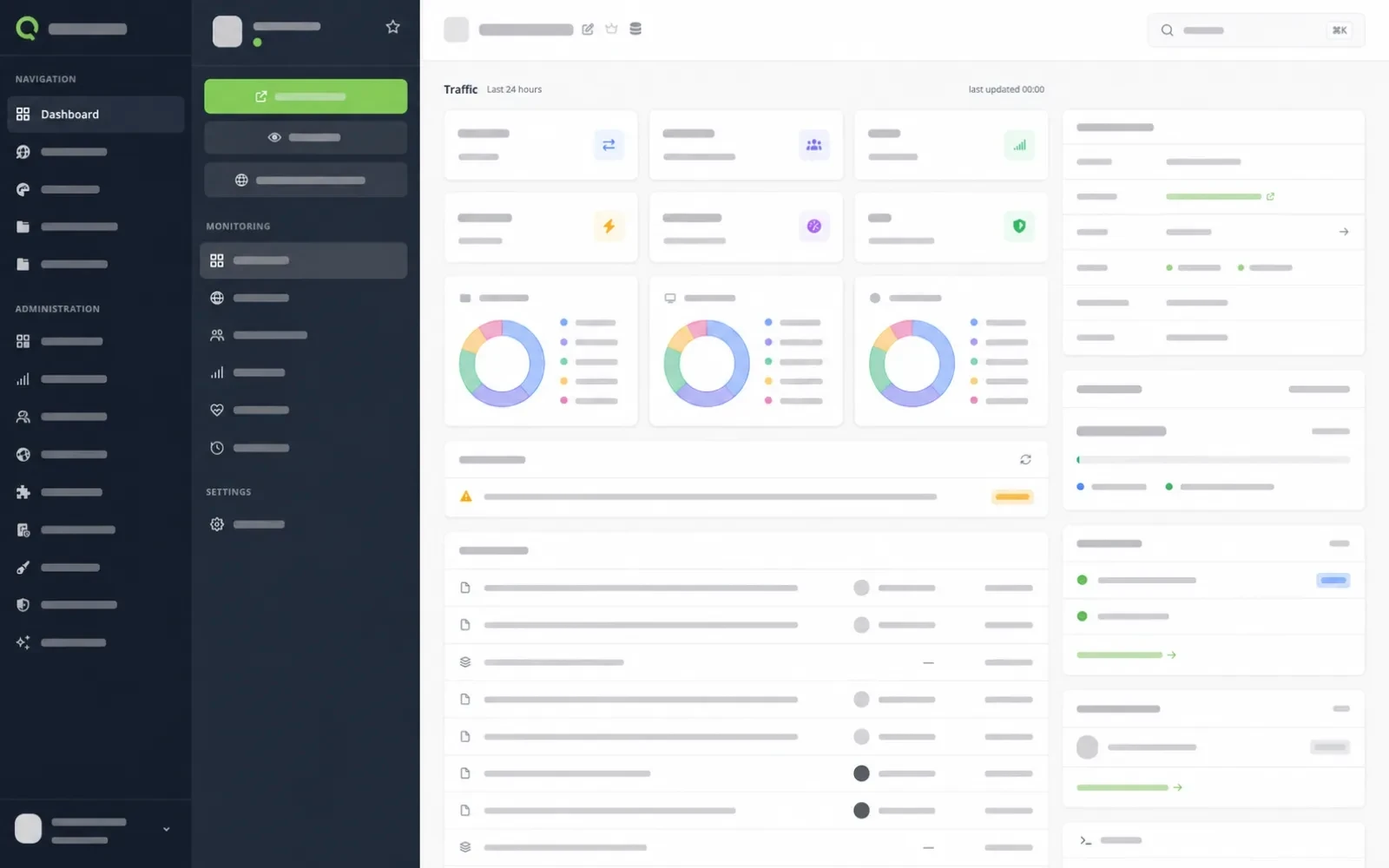
Connect your domain. Quilium provisions and renews the SSL certificate.
Managed hosting, WAF, daily backups and platform updates are part of the service.
Follow traffic, site health and blocked attacks across the sites you manage.
Every plan includes the CMS, managed hosting and credits for the built-in assistant. Build for free. Pay when you go live.
Add-ons: extra AI credits €13.90 for 120. Partners get their discount on add-ons too.
Building is free. A site only counts once it is live.
Prices include Luxembourg VAT at 17%. The VAT rate may differ with your country and status.
An HTML prototype, ideally finished, with the real content in place. Any tool you already use can produce one: Claude Code, Codex, Claude Design or pages written by hand. That prototype is the starting point. Your agent turns it into Quilium templates and a content model, and the site is ready to be managed. Existing application logic and integrations need to be assessed separately.
Yes. That is what Quilium is for: separating the content from the design so people who are not designers can edit it without breaking anything. You decide how the content is structured, from a single text field to collections with relations, and the editing screens follow that structure. Your clients edit the fields, entries and pages you defined. The design stays in the templates. Quilium is not another site builder: it is a CMS shaped around each site.
No. Quilium was built and used without AI for years, through the CMS, the CLI and the templates. AI is a plus, but we no longer picture working without it: your own agents through MCP, or the built-in assistant, take over the repeat work, from building the content model to translating a site. Plans include credits for the assistant; external agents use your provider’s subscription or tokens.
Quilium manages the CMS platform, hosting, SSL certificates, daily backups and platform updates. It also runs the native AI features: the built-in assistant, and an MCP server that keeps improving through its skills, the guides your agents load to work on your site correctly. Your team manages the content, the custom design and any specific integrations. Quilium is operated from Luxembourg, with site data and backups hosted in the EU.
Yes. Quilium serves your site with its Liquid templates, or your own frontend reads the content through the API in headless mode. Either way, your clients keep the same CMS to manage it.
Yes, natively. Every field, page and collection entry can be translated, with its own URL per language. Ask your agent or the built-in assistant to translate the content and connect the URLs, then review it before it goes live.
Yes. All the sites you build live in one account, with their traffic, health and blocked attacks in one view. Agencies and freelancers can join the Partner program for partner pricing from the first site.
Yes. Create an account and build a site in preparation, without a credit card or a countdown. You pay when it goes live. An account without a subscription can prepare one site; paid accounts can prepare additional sites.
Yes. Collections can be exported from the CMS, your agents read everything through MCP and the CLI gives you your theme files. Your work and your content can be reused outside Quilium.
Build fast. Sleep easy.
Start with your design or explore a working demo. Build the site, try the editor and see what you can hand over to your client.
No credit card. No countdown. Pay when you go live.